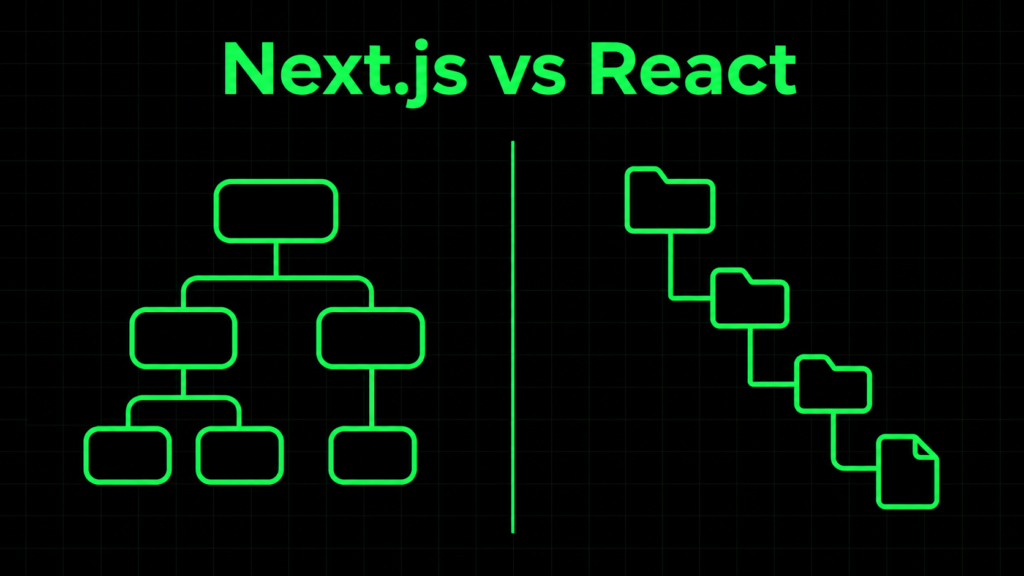
Next.js vs React is one of the most common questions for anyone starting a web project, but the two are not direct competitors. React is a library for building user interfaces. Next.js is a framework that uses React and adds the pieces around it.
In this post I’ll explain what each one does, show the same page built both ways, and give you a practical way to decide. You’ll also see the mistakes that most often cause confusion.
What React is
React does one job: it builds user interfaces from components and keeps them in sync with state.
It does not decide how you handle routing, data fetching or production builds. You choose those tools yourself. That gives you flexibility, but it also means more decisions up front.
A typical plain React app, for example one created with Vite, uses client-side rendering (CSR). The server sends a nearly empty HTML file plus JavaScript, and the browser builds the page.
What Next.js adds on top of React
Next.js is a React framework. You still write React components, but a lot of the surrounding work is built in:
- File-based routing: folders and files become URLs.
- Rendering options: server rendering, static generation and client rendering, chosen per page or component.
- Server-side data fetching: components can load data before the HTML reaches the browser.
- Built-in optimizations: code splitting, image and font handling.
- Backend routes: you can write API endpoints in the same project.
Set up both projects
Both commands assume Node.js and npm are already installed.
Create a plain React app with Vite:
npm create vite@latest my-react-app -- --template react
cd my-react-app
npm install
npm run dev
Create a Next.js app:
npx create-next-app@latest my-next-app
cd my-next-app
npm run dev
The Next.js setup asks a few questions about options such as TypeScript and routing style. Choose the App Router if you want to follow the examples below.
The same page in both
Say you want a page that lists five posts from a public API.
Plain React (client-side)
import { useEffect, useState } from "react";

export default function Posts() {
  const [posts, setPosts] = useState([]);

  useEffect(() => {
    fetch("https://jsonplaceholder.typicode.com/posts?_limit=5")
      .then((res) => res.json())
      .then(setPosts);
  }, []);

  return (
    <ul>
      {posts.map((p) => (
        <li key={p.id}>{p.title}</li>
      ))}
    </ul>
  );
}
The browser downloads the JavaScript, runs it, fetches the data, then renders the list. Until that finishes, the user sees an empty list.
Next.js (App Router, server component)
// app/posts/page.js  ->  served at /posts
export default async function Posts() {
  const res = await fetch("https://jsonplaceholder.typicode.com/posts?_limit=5");
  const posts = await res.json();

  return (
    <ul>
      {posts.map((p) => (
        <li key={p.id}>{p.title}</li>
      ))}
    </ul>
  );
}
Here the fetch runs on the server, so the list is already in the HTML the browser receives. There is no useEffect, and the file’s location defines the route.
To see the difference yourself, open each page and use View Source. The React page has an almost empty body. The Next.js page contains the list items.
Next.js vs React: the key differences
| React (for example with Vite) | Next.js | |
|---|---|---|
| What it is | UI library | Framework built on React |
| Routing | Add your own, such as React Router | Built in, file-based |
| Default rendering | Client-side | Server, static or client, per page or component |
| Content in initial HTML | No, built in the browser | Yes, when rendered on the server or at build time |
| Backend code | Separate project | Can live in the same project |
| Concepts to learn | Fewer | More |
| Hosting | Static files are enough | Depends on features; server rendering needs a server runtime |
When to use React
Plain React is a good fit when:
- You’re building a dashboard or internal tool behind a login, where search visibility doesn’t matter.
- You want to learn React fundamentals without extra framework concepts.
- You already have a separate backend and only need a frontend.
- You want to deploy simple static files.
It’s a weaker fit when you need good search visibility and fast first paint, because you’d have to add server rendering yourself.
When to use Next.js
Next.js is a good fit when:
- Search traffic matters: blogs, marketing sites, e-commerce, documentation.
- You want content in the first HTML response instead of waiting for JavaScript.
- You want routing, data fetching and a small backend in one project.
- You’d rather start with conventions than assemble your own stack.
It’s a weaker fit for a small client-only tool, where the extra concepts may cost more than they return, and for setups where you can’t run a server if you rely on server features.
Pitfalls and what I’d do differently
- Learning Next.js before React. Next.js assumes you understand components, props, state and hooks. If those feel shaky, build one small app in plain React first.
- Mixing up server and client components. In the App Router, components are server components by default. Anything that uses
useState,useEffector browser APIs needs"use client"at the top of the file. - Following outdated tutorials. The Pages Router and App Router use different file structures and data-fetching patterns. Check whether a tutorial uses
pages/orapp/before copying code. - Choosing Next.js just in case. If you have no need for server rendering or SEO, start simpler and move later.
- Ignoring hosting. Server features need a server runtime. Check what your host supports before you commit.
FAQ
Is Next.js replacing React?
No. Next.js is built on React and uses it for components. You write React code in both.
Do I need to learn React before Next.js?
I’d recommend it. Next.js builds on React concepts such as components, props, state and hooks, so those are easier to learn without a framework in the way.
Is Next.js better for SEO than React?
It’s easier to get right, because pages can be rendered on the server or at build time and the content is in the initial HTML. A client-only React app can be made to work for search, but you have to add that rendering yourself.
Can I use Next.js for a dashboard?
Yes. Next.js works for any React app, but if the dashboard sits behind a login and doesn’t need search visibility, plain React is often enough.
Summary
- React is a UI library and Next.js is a framework built on it, so you’re choosing how much structure you want, not one instead of the other.
- Plain React suits learning, client-only apps and tools where SEO doesn’t matter.
- Next.js suits public sites and projects that need routing, rendering and backend code in one place.
- Learn React fundamentals first, then add Next.js when a project needs what it offers.
- Check whether tutorials use the Pages Router or the App Router before copying code.
Next step: build the posts page above in both setups and compare the page source with View Source. Want a follow-up on server vs client components? Reach out through the Contact Me page.